Free MCQs for FPSC, NTS, PPSC, PMS, CSS & All Pakistan Exams 2026

Technology

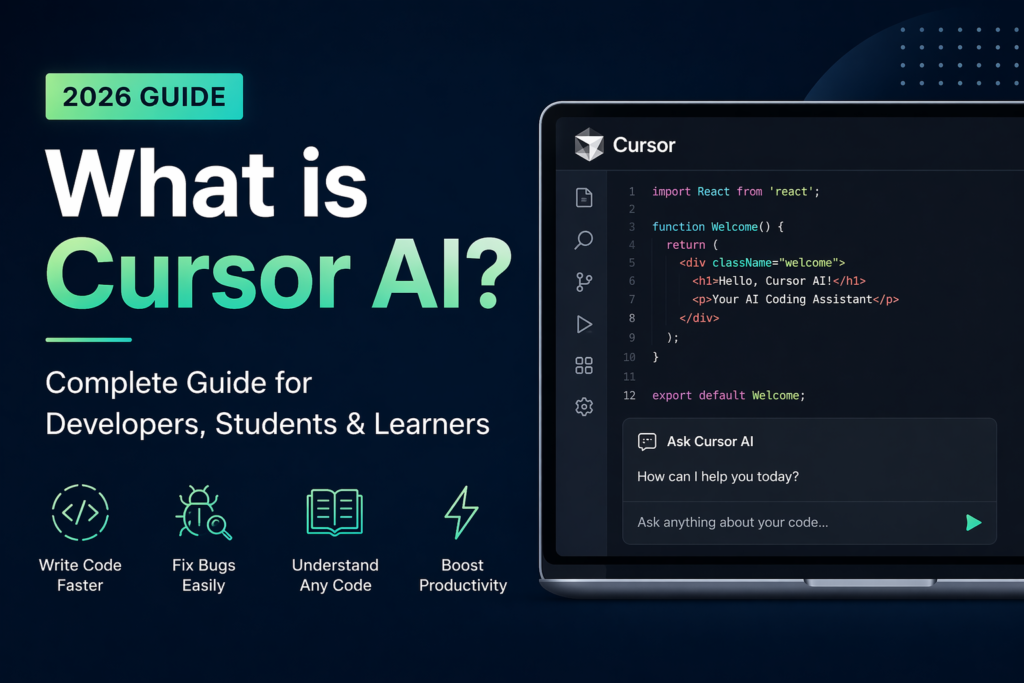
What is Cursor AI? Complete Guide for Developers, Students & Beginners (2026)

Cursor AI is a smart code editor powered by artificial intelligence. It helps developers write code, fix bugs, understand projects, and build software faster. It is based on Visual Studio Code (VS Code), so if you have used VS Code before, Cursor will feel very familiar.

The main difference is that Cursor has an AI assistant built inside the editor. It can understand your project files, answer coding questions, generate code, and help solve errors in real time.

Cursor AI has become very popular among developers, freelancers, students, and startups because it saves time and makes coding easier.

Why Cursor AI is Popular

Many people like Cursor AI because it combines a normal code editor with powerful AI tools in one place. Cursor was launched in 2023 and has grown rapidly to become one of the most talked about developer tools in the world. In 2024 alone Cursor reached over 360,000 active users and is used by developers at companies like OpenAI, Shopify, Samsung and thousands of startups globally.

Instead of switching between Google, ChatGPT, and your code editor, Cursor lets you do everything inside one app.

Main Benefits:

  • Write code faster
  • Fix bugs quickly
  • Understand old code easily
  • Build full features faster
  • Learn programming step by step
  • Save time on repetitive work

What Can You Do with Cursor AI?

Cursor AI can help with many coding tasks.

1. Write Code from Simple Instructions

Just type what you want in normal English.
Example:
Create a login form using React
Cursor can generate the code instantly.
2. Fix Errors and Bugs
Paste an error message and Cursor explains what is wrong and how to solve it.
3. Understand Existing Code
If you open an old project, Cursor can explain functions, files, or full project structure in simple words.
4. Improve Code Quality
It can rewrite messy code into cleaner and better code.
5. Create Full Features
Need a dashboard, API, or signup system? Cursor can help build it faster.
6. Generate Unit Tests
Cursor can create test cases for your functions automatically.
7. Write Documentation
It can add comments and create documentation for your code.

Who Uses Cursor AI?

Cursor AI is useful for many people.

  • Developers: Professional developers use it to complete projects faster.
  • Freelancers: Freelancers use it to deliver client work quickly.
  • Startup Founders: Founders can build products without a large team.
  • Students: Students use Cursor to learn programming and solve coding problems.
  • Data Scientists: Python users can use it for scripts, automation, and data work.
  • Beginners: Even new learners can use Cursor for guidance and explanations.
  • Cursor AI for Students: Cursor AI is a great tool for students learning coding.

How Students Use It:

  • Ask for simple explanations
  • Learn JavaScript, Python, C#, Java, etc.
  • Practice debugging errors
  • Build projects faster
  • Prepare for interviews
  • Generate coding exercises
  • Understand GitHub projects
  • Improve assignments

Cursor AI Pricing (2026)

Cursor offers multiple plans:

Free Plan

Good for beginners and testing.

  • 2,000 completions monthly
  • Limited AI requests

Pro Plan – $20/month

Best for serious developers.

  • Unlimited completions
  • Faster AI requests
  • Better models

Pro + $60/month

Best for serious developers.

  • Unlimited completions
  • Faster AI requests
  • Better models

Ultra Plan – $200/month

For teams and companies.

  • Team controls
  • Privacy mode
  • Admin features

How to Start Using Cursor AI — Step by Step

Getting started with Cursor takes less than 5 minutes:

  • Step 1 — Go to cursor.com and click Download
  • Step 2 — Install Cursor on your Windows, Mac or Linux computer
  • Step 3 — Sign up for a free account using your email or GitHub account
  • Step 4 — Import your VS Code settings and extensions in one click if you already use VS Code
  • Step 5 — Open any project folder or create a new file and start coding
  • Step 6 — Press Ctrl+K to ask Cursor anything about your code or to generate new code
  • Step 7 — Press Ctrl+L to open the full AI chat panel for longer conversations about your project

Cursor AI vs Other AI Coding Tools

Tool Best For Price
Cursor AI Full codebase understanding and editing Free to $20/month
GitHub Copilot Code completion inside VS Code $10/month
ChatGPT General coding questions and snippets Free to $20/month
Replit AI Beginners and browser-based coding Free to $20/month
Tabnine Privacy-focused code completion Free to $12/month

Why Cursor AI is the Future

Software development is changing fast. Developers using AI tools can finish work in hours that once took days.

  • Companies now value developers who know how to use AI coding tools.
  • For students, Cursor removes the biggest problem:
  • Getting stuck and not knowing what to do next. Cursor gives instant help, explanations, and solutions.

Quick Facts About Cursor AI

  • Founded: 2023 by Anysphere Inc
  • Users: 360,000+ active developers as of 2024
  • Built on: Visual Studio Code
  • AI Models used: Claude, GPT-4, custom models
  • Supported languages: Python, JavaScript, TypeScript, C#, Java, Go, Rust and all major languages
  • Platform: Windows, Mac, Linux
  • Free plan: Yes — available with generous limits
  • Website: cursor.com


What is Cursor AI? Complete Guide for Developers, Students & Beginners (2026) Read More »

70+ Best Freelance, Remote Job & B2B Lead Platforms

Find clients, remote jobs, and contract work from top platforms across the USA, UK, Europe, the Middle East, Australia, Pakistan, Latin America, and Africa.

1. Global Freelance Platforms

These platforms help you find freelance projects from clients worldwide across web, mobile, design, and marketing.

  • Upwork
  • Fiverr
  • Freelancer.com
  • PeoplePerHour
  • Guru
  • Toptal
  • 99designs
  • Designhill
  • Contra
  • Andela
  • Workana
  • Malt
  • Truelancer
  • Outsourcely
  • FreelanceMap
  • Twine
  • SolidGigs
  • ServiceScape
  • Kolabtree

2. Remote Job Platforms

These websites list full-time and part-time remote jobs from companies hiring globally.

  • LinkedIn
  • Indeed
  • Glassdoor
  • ZipRecruiter
  • SimplyHired
  • Wellfound
  • Hiring Cafe
  • We Work Remotely
  • Remote.co
  • Remotive
  • JustRemote
  • Working Nomads
  • Remote OK
  • Jobspresso
  • SkipTheDrive
  • Pangian
  • NoDesk
  • Himalayas
  • PowerToFly
  • FlexJobs
  • Dynamite Jobs
  • Hubstaff Talent

3. Startup & Tech Hiring Platforms

Best for developers and startups, these platforms connect you with fast-growing companies and tech teams.

  • Wellfound
  • Y Combinator
  • Hired
  • Arc.dev
  • Gun.io
  • Codementor
  • Turing
  • Lemon.io
  • Braintrust
  • A.Team
  • Gigster
  • X-Team

4. B2B Lead Generation Platforms

Use these platforms to find high-value clients, company data, and business opportunities.

  • Clutch
  • GoodFirms
  • UpCity
  • Crunchbase
  • Apollo.io
  • ZoomInfo
  • Seamless.ai
  • LinkedIn Sales Navigator
  • BuiltWith
  • PitchBook

5. Region-Specific Job Platforms

These platforms help you target jobs and clients in specific countries and regions.

UK & Europe – Popular job boards for local and remote hiring
  • TotalJobs
  • Reed
  • CV-Library
  • StepStone
  • EuroJobs
  • Jobsite
Australia / New Zealand – Useful for freelance and full-time roles
  • Seek
  • Airtasker
  • Jora
Middle East / Saudi / UAE – Strong demand for tech and services
  • Bayt
  • Naukrigulf
  • GulfTalent
  • Dubizzle
Pakistan – Local hiring and freelance opportunities
  • Rozee.pk
  • Mustakbil
  • BrightSpyre
Latin America – Growing remote and tech job market
  • Workana
  • GetOnBoard
  • Torre
Africa – Emerging job platforms with increasing demand
  • Jobberman
  • BrighterMonday
  • Fuzu

6. Developer & Tech Job Boards

Focused platforms for software developers, engineers, and IT professionals.

  • Landing.jobs
  • Technojobs
  • Dice
  • Authentic Jobs
  • Mashable
  • DevITJobs

7. Creative & Design Platforms

Best for designers, UI/UX experts, and creative professionals.

  • Dribbble
  • Behance
  • Working Not Working
  • Crew
  • Krop

8. Premium Networks

High-paying and vetted platforms for experienced professionals and agencies.

  • Toptal
  • Braintrust
  • A.Team
  • Gigster
  • Gun.io
  • X-Team

9. Talent Programs & Pipelines

These platforms help developers grow skills and connect with global job opportunities.

  • ALX
  • Andela
  • Microverse
  • Scaler
  • BloomTech

70+ Best Freelance, Remote Job & B2B Lead Platforms Read More »

freelancing

What Is Freelancing? Popular Skills & Jobs

The growth of the freelancing economy has been a significant trend in the modern workforce.
As the freelancing economy continues to expand, professionals are increasingly leveraging their talents to create diverse income streams, explore new industries, and enjoy the flexibility that freelancing offers.

  • What is freelancing?
  • Key benefits of freelancing?
  • Disadvantages of freelancing
  • What skills are needed to be a freelancer?
  • How do I start freelancer?
  • Freelancing meaning in the top 10 languages
  • Best websites for freelancing and remote jobs

What is freelancing?

Freelancing is the art of being your own boss, offering specialized skills and services to clients on a project-by-project basis. As a freelancer, you have the freedom to choose the work you take on, set your own schedule, and work from anywhere. It’s a dynamic and flexible way to build your career, connect with different clients, and showcase your expertise.

freelancing
freelancing-

Key benefits of freelancing?

Key characteristics of freelancing include:
Independence: Freelancers have the freedom to set their own work schedules, choose their clients, and decide on the projects they want to work on. They typically have more control over their work environment and the type of work they do.
Project-Based: Freelancers are hired for specific projects or tasks, rather than being engaged in ongoing, long-term employment. Once the project is completed, the working relationship may or may not continue depending on mutual agreement.
Client Variety: Freelancers often work with a variety of clients from different industries and locations. This diversity can provide exposure to different types of work and can help freelancers develop a versatile skill set.
Remote Work: Many freelancers work remotely, which allows them to work from home or any location with an internet connection. This flexibility is particularly attractive to those who prefer to avoid a traditional office setting.
Skill-Based Work: Freelancers typically offer specialized skills or expertise in areas such as writing, design, programming, marketing, consulting, and more. Clients hire freelancers for their specific skills and knowledge.

Read more: 10 Best & Most Popular Web Development Frameworks
Global Reach: The internet enables freelancers to work with clients and collaborate on projects from around the world, expanding their market reach.
Reduced Commute: Freelancers can eliminate the daily commute to an office, saving time and money.

Disadvantages of freelancing

While freelancing offers many advantages, it also comes with its share of challenges and disadvantages. Here are some of the disadvantages of freelancing:
Irregular Income: Freelancers often experience income variability. There might be periods of high demand and well-paying projects, but there could also be lean times with fewer or lower-paying projects.
No Benefits: Freelancers typically don’t receive employee benefits such as health insurance, retirement contributions, paid time off, or sick leave. They need to handle these aspects on their own.
Client Dependence: Relying on a few key clients for a significant portion of your income can make you vulnerable to income loss if those clients reduce or end their projects.

Administrative Tasks: Freelancers must handle administrative tasks such as invoicing, contract negotiations, and record-keeping, which can take time away from billable work.
Market Competition: The freelance market can be competitive, especially in certain industries. Standing out and consistently securing projects may require ongoing effort.
Unpredictable Clients: Dealing with difficult or non-responsive clients can be a challenge and may lead to payment delays or other complications.

skills for freelancer
freelancing skills

What skills are needed to be a freelancer?

Freelancer skills that were often in high demand:
Programming and Development:

Graphic Design and Multimedia:

Writing and Content Creation:

Digital Marketing:

Data Analysis and Digital Skills:

Translation and Language Services:

  • Translation
  • Transcription
  • Language Teaching and Tutoring

Sales and Marketing:

  • Lead Generation
  • Sales Funnel Creation
  • Market Research

Consulting and Business Services:

  • Business Consulting
  • Financial Consulting
  • Legal Consulting

IT and Networking:

  • Cybersecurity
  • Network Administration

E-commerce Services:

  • E-commerce Management
  • Product Photography
  • Online Store Setup (Shopify, WooCommerce)
  • Dropshipping Consultation

Virtual Assistance:

  • Administrative Support
  • Customer Support
  • Data Entry
  • Travel Planning

Video and Audio Production:

Engineering and architecture:

  • CAD and Design Software Proficiency
  • Architectural Visualization
  • Interior Design

How do I start freelancer?
Starting a freelance career involves several steps  for success. Here’s a general guide to help you get started:

Choose Your Niche: Determine the field or industry in which you want to offer your freelance services. Consider your skills, interests, and market demand when making this decision.
Develop Your Skills: If necessary, further develop and enhance your skills through courses, certifications, practice, and self-learning. Ensure you have a strong grip in the services you plan to offer.
Create a Portfolio: Build a portfolio showcasing your best work. Include samples that highlight your skills and expertise. If you’re just starting and do not have work samples, consider creating personal projects to showcase your abilities.
Set Your Rates: Research industry standards and competitor rates to setup pricing for your services. Consider factors like your experience, skills, and the value you provide to clients.
Choose a Business Name: Decide on a professional name for your freelance business. This could be your own name or a creative business name, depending on your branding preferences.
Register Your Business: Depending on your location and the laws in your area, you might need to register your freelance business with local authorities. This step ensures you’re operating legally and can handle taxes appropriately.
Create an Online Presence: Set up a professional website showcasing your portfolio, services, rates, and contact information. You can also create profiles on freelancing platforms like Upwork, Freelancer, or Fiverr.
Market Yourself: Utilize social media platforms, networking events, and online communities to promote your freelance services. Networking is crucial for finding clients and building relationships.
Identify Target Clients: Define your target audience and the types of clients you want to work with. Tailor your marketing efforts to reach these specific clients.
Build Relationships: Communicate professionally with clients, respond promptly to inquiries, and deliver high-quality work. Positive client relationships can lead to repeat business and referrals.
Deliver Outstanding Work: Exceed client expectations by delivering exceptional work on time. Satisfied clients are more likely to leave positive reviews and recommend you to others.
Seek Feedback: Request feedback from clients to improve your services and enhance client satisfaction.

Freelancing best websites
Website for remote jobs

Best websites for freelancing and remote jobs:
Upwork: A large and diverse platform where freelancers can find a wide range of projects across various industries.
Freelancer: Offers a variety of projects and contests in categories such as writing, design, programming, and more.
Fiverr: Known for its “gig” system, freelancers offer specific services starting at $5, with options to add extra features.
Toptal: A platform for top freelance software developers, designers, and finance experts.
Guru: Connects freelancers with a range of projects in fields like writing, design, programming, and business.
PeoplePerHour: Focuses on small businesses and startups, offering projects in areas like design, marketing, writing, and development.
FlexJobs: Specializes in remote and flexible job opportunities, including both freelance and full-time roles.
Remote.co: A resource for remote job listings and information on remote work culture.
We Work Remotely: A job board specifically for remote job opportunities in various fields.
Stack Overflow Jobs: Primarily for developers and programmers, this platform features job listings from tech companies around the world.
AngelList: Focuses on jobs at startups, including remote positions, particularly in the tech and startup industries.
Remotive: Offers remote job listings and resources for remote workers.
LinkedIn: While not exclusively a freelance platform, LinkedIn’s job search feature can help you find remote and freelance opportunities.
Dice: Specializes in tech and IT jobs, including remote positions.

What Is Freelancing? Popular Skills & Jobs Read More »