
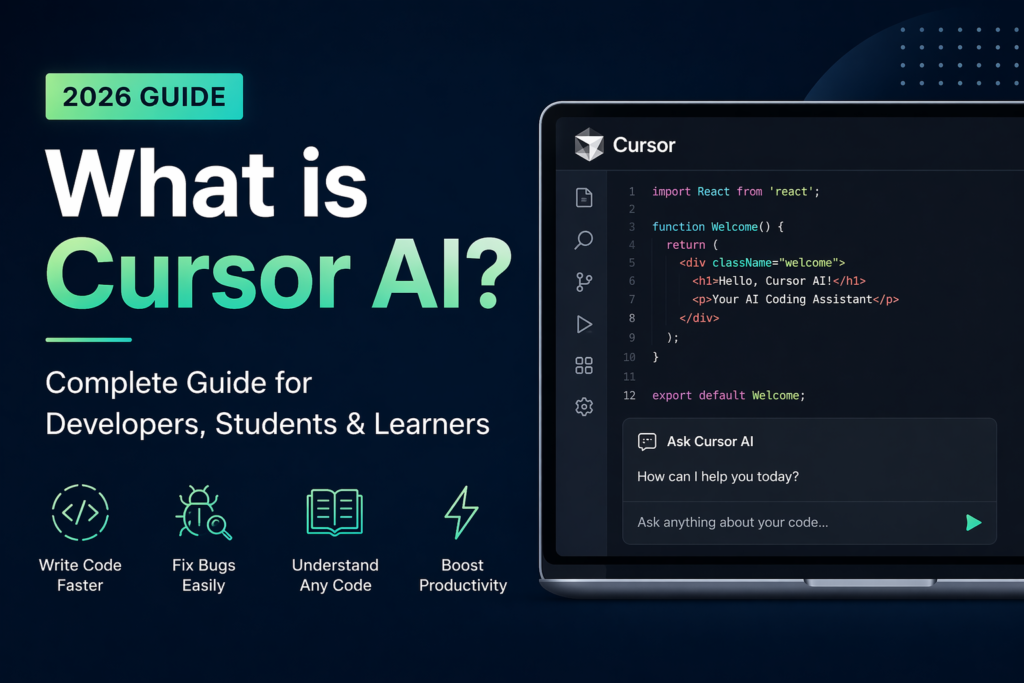
Cursor AI is a smart code editor powered by artificial intelligence. It helps developers write code, fix bugs, understand projects, and build software faster. It is based on Visual Studio Code (VS Code), so if you have used VS Code before, Cursor will feel very familiar.
The main difference is that Cursor has an AI assistant built inside the editor. It can understand your project files, answer coding questions, generate code, and help solve errors in real time.
Cursor AI has become very popular among developers, freelancers, students, and startups because it saves time and makes coding easier.
Why Cursor AI is Popular
Many people like Cursor AI because it combines a normal code editor with powerful AI tools in one place. Cursor was launched in 2023 and has grown rapidly to become one of the most talked about developer tools in the world. In 2024 alone Cursor reached over 360,000 active users and is used by developers at companies like OpenAI, Shopify, Samsung and thousands of startups globally.
Instead of switching between Google, ChatGPT, and your code editor, Cursor lets you do everything inside one app.
Main Benefits:
- Write code faster
- Fix bugs quickly
- Understand old code easily
- Build full features faster
- Learn programming step by step
- Save time on repetitive work
What Can You Do with Cursor AI?
Cursor AI can help with many coding tasks.
1. Write Code from Simple Instructions
Just type what you want in normal English.
Example:
Create a login form using React
Cursor can generate the code instantly.
2. Fix Errors and Bugs
Paste an error message and Cursor explains what is wrong and how to solve it.
3. Understand Existing Code
If you open an old project, Cursor can explain functions, files, or full project structure in simple words.
4. Improve Code Quality
It can rewrite messy code into cleaner and better code.
5. Create Full Features
Need a dashboard, API, or signup system? Cursor can help build it faster.
6. Generate Unit Tests
Cursor can create test cases for your functions automatically.
7. Write Documentation
It can add comments and create documentation for your code.
Who Uses Cursor AI?
Cursor AI is useful for many people.
- Developers: Professional developers use it to complete projects faster.
- Freelancers: Freelancers use it to deliver client work quickly.
- Startup Founders: Founders can build products without a large team.
- Students: Students use Cursor to learn programming and solve coding problems.
- Data Scientists: Python users can use it for scripts, automation, and data work.
- Beginners: Even new learners can use Cursor for guidance and explanations.
- Cursor AI for Students: Cursor AI is a great tool for students learning coding.
How Students Use It:
- Ask for simple explanations
- Learn JavaScript, Python, C#, Java, etc.
- Practice debugging errors
- Build projects faster
- Prepare for interviews
- Generate coding exercises
- Understand GitHub projects
- Improve assignments
Cursor AI Pricing (2026)
Cursor offers multiple plans:
Free Plan
Good for beginners and testing.
- 2,000 completions monthly
- Limited AI requests
Pro Plan – $20/month
Best for serious developers.
- Unlimited completions
- Faster AI requests
- Better models
Pro + $60/month
Best for serious developers.
- Unlimited completions
- Faster AI requests
- Better models
Ultra Plan – $200/month
For teams and companies.
- Team controls
- Privacy mode
- Admin features
How to Start Using Cursor AI — Step by Step
Getting started with Cursor takes less than 5 minutes:
- Step 1 — Go to cursor.com and click Download
- Step 2 — Install Cursor on your Windows, Mac or Linux computer
- Step 3 — Sign up for a free account using your email or GitHub account
- Step 4 — Import your VS Code settings and extensions in one click if you already use VS Code
- Step 5 — Open any project folder or create a new file and start coding
- Step 6 — Press Ctrl+K to ask Cursor anything about your code or to generate new code
- Step 7 — Press Ctrl+L to open the full AI chat panel for longer conversations about your project
Cursor AI vs Other AI Coding Tools
| Tool | Best For | Price |
|---|---|---|
| Cursor AI | Full codebase understanding and editing | Free to $20/month |
| GitHub Copilot | Code completion inside VS Code | $10/month |
| ChatGPT | General coding questions and snippets | Free to $20/month |
| Replit AI | Beginners and browser-based coding | Free to $20/month |
| Tabnine | Privacy-focused code completion | Free to $12/month |
Why Cursor AI is the Future
Software development is changing fast. Developers using AI tools can finish work in hours that once took days.
- Companies now value developers who know how to use AI coding tools.
- For students, Cursor removes the biggest problem:
- Getting stuck and not knowing what to do next. Cursor gives instant help, explanations, and solutions.
Quick Facts About Cursor AI
- Founded: 2023 by Anysphere Inc
- Users: 360,000+ active developers as of 2024
- Built on: Visual Studio Code
- AI Models used: Claude, GPT-4, custom models
- Supported languages: Python, JavaScript, TypeScript, C#, Java, Go, Rust and all major languages
- Platform: Windows, Mac, Linux
- Free plan: Yes — available with generous limits
- Website: cursor.com


Your blog has become my go-to source for inspiration and motivation I am so grateful for the valuable content you provide
Your posts are always so relatable and relevant to my life It's like you know exactly what I need to hear at the right time
This blog has become a part of my daily routine I start my mornings with a cup of coffee and your latest post